Scavenger Quest
GAME INFO
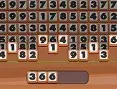
Scavenger Quest is Monstera Play's comic-panel hidden-object hunt — not a dialogue-heavy RPG. Scan hand-drawn scenes for every item on the bottom checklist, unlock new map sections when a panel clears, and use hints or zoom when a prop blends into the line art. Hundreds of objects across evolving backgrounds reward patient eyes.




HOW TO PLAY Scavenger Quest
Desktop: Click objects from the list at the bottom of the screen; drag or use zoom to scan large panels. Mobile: Tap to collect items; swipe to pan, pinch to zoom.
When you are ready, hit play on the cabinet above and jump straight in — Scavenger Quest loads instantly, right here in your browser. No account, no waiting.
QUICK FACTS
FREQUENTLY ASKED QUESTIONS
Is Scavenger Quest free to play?
Yes. Scavenger Quest is completely free to play on JoyRealm. There are no downloads, no installations and no sign-ups — just open the page and start playing instantly in your browser.
How do I control Scavenger Quest?
Desktop: Click objects from the list at the bottom of the screen; drag or use zoom to scan large panels. Mobile: Tap to collect items; swipe to pan, pinch to zoom.
Can I play Scavenger Quest on mobile?
Yes. Scavenger Quest supports touch controls, so you can play it on a phone or tablet straight from your mobile browser — no app required.
Do I need to install anything to play Scavenger Quest?
No. Scavenger Quest runs directly in your web browser using HTML5. There is nothing to download or install.
What kind of game is Scavenger Quest?
Scavenger Quest is a Puzzle game, tagged with puzzle, adventure, rpg, fantasy, popular.