Operation Music A
GAME INFO
Operation Music A is a relaxing light-catcher score attack (Flash via Ruffle) — move a bar with the mouse to absorb glowing particles to the music, hold click to spend Power for big pulls, and dodge red lights that slash your multiplier. Multiple visual modes and custom music support turn it into a chill audiovisual toy. Particle collector, not a four-lane note highway where you press arrow keys on falling tiles.
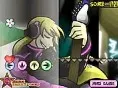



HOW TO PLAY Operation Music A
Desktop: Move with the mouse; click or hold to absorb light and use Power (Flash via Ruffle). Mobile: Not supported on mobile — mouse required.
When you are ready, hit play on the cabinet above and jump straight in — Operation Music A loads instantly, right here in your browser. No account, no waiting.
QUICK FACTS
FREQUENTLY ASKED QUESTIONS
Is Operation Music A free to play?
Yes. Operation Music A is completely free to play on JoyRealm. There are no downloads, no installations and no sign-ups — just open the page and start playing instantly in your browser.
How do I control Operation Music A?
Desktop: Move with the mouse; click or hold to absorb light and use Power (Flash via Ruffle). Mobile: Not supported on mobile — mouse required.
Can I play Operation Music A on mobile?
Yes. Operation Music A supports touch controls, so you can play it on a phone or tablet straight from your mobile browser — no app required.
Do I need to install anything to play Operation Music A?
No. Operation Music A is a classic Flash game, but JoyRealm runs it through the built-in Ruffle emulator, so it works in any modern browser without the old Flash Player plugin.
What kind of game is Operation Music A?
Operation Music A is a Music game, tagged with music, rhythm, flash.